> ## Documentation Index
> Fetch the complete documentation index at: https://docs.ref.tools/llms.txt
> Use this file to discover all available pages before exploring further.
# Goose
> Connect Goose to up-to-date and token-efficient documentation.
[Goose Extensions docs](https://block.github.io/goose/docs/getting-started/using-extensions)
You can find your API key at [ref.tools/keys](https://ref.tools/keys)
## Install Steps
1. Click the `Extensions` button in the left side nav.
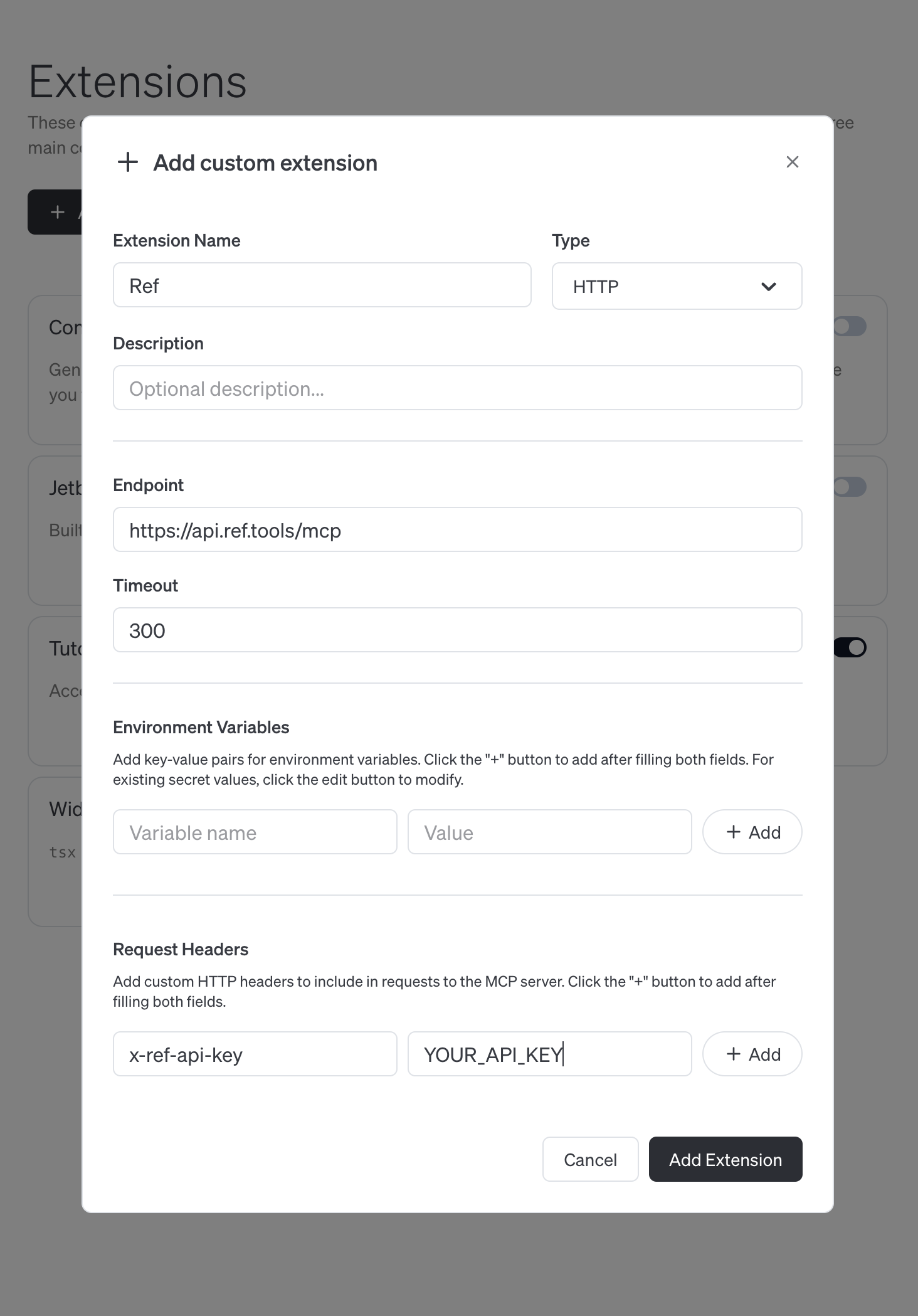
2. Click `Add custom extension`
3. Fill in Extension Name as `Ref`
4. Fill in Endpoint as `https://api.ref.tools/mcp`
5. Add a Request Header `x-ref-api-key` with value being your API key.
6. IMPORTANT: make sure you hit "+ Add" next to the request header to ensure it is actually added.
7. Click `Add extension`
 ## Verify
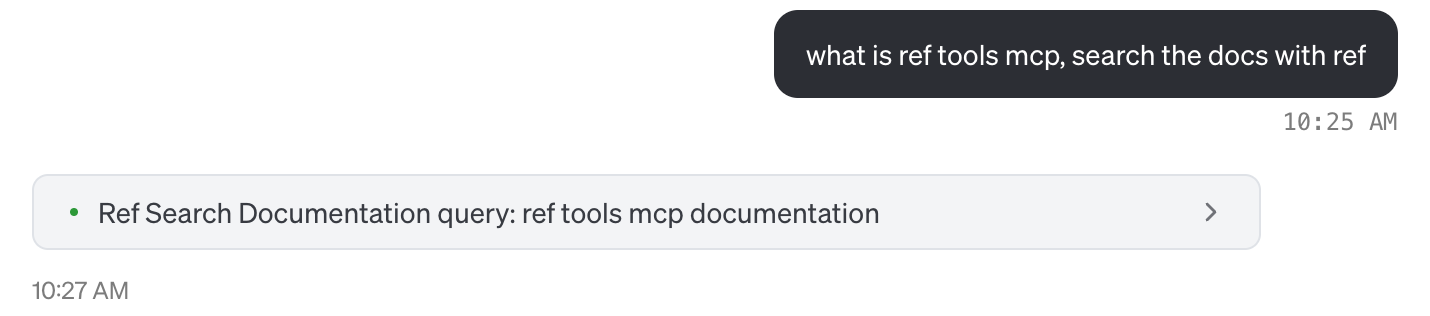
Open a new chat and issue the prompt.
```
what is ref tools mcp, search the docs with ref
```
This should results in a `ref_search_documentation` tool call.
## Verify
Open a new chat and issue the prompt.
```
what is ref tools mcp, search the docs with ref
```
This should results in a `ref_search_documentation` tool call.
 ## Get help
If you have any issues, please reach out to `help@ref.tools`. We're happy to help you get started!
## Get help
If you have any issues, please reach out to `help@ref.tools`. We're happy to help you get started!