

Install Steps
- Open
Augment Settings. This can be done either from the VSCode command palette or the gear icon in Augment. - Under
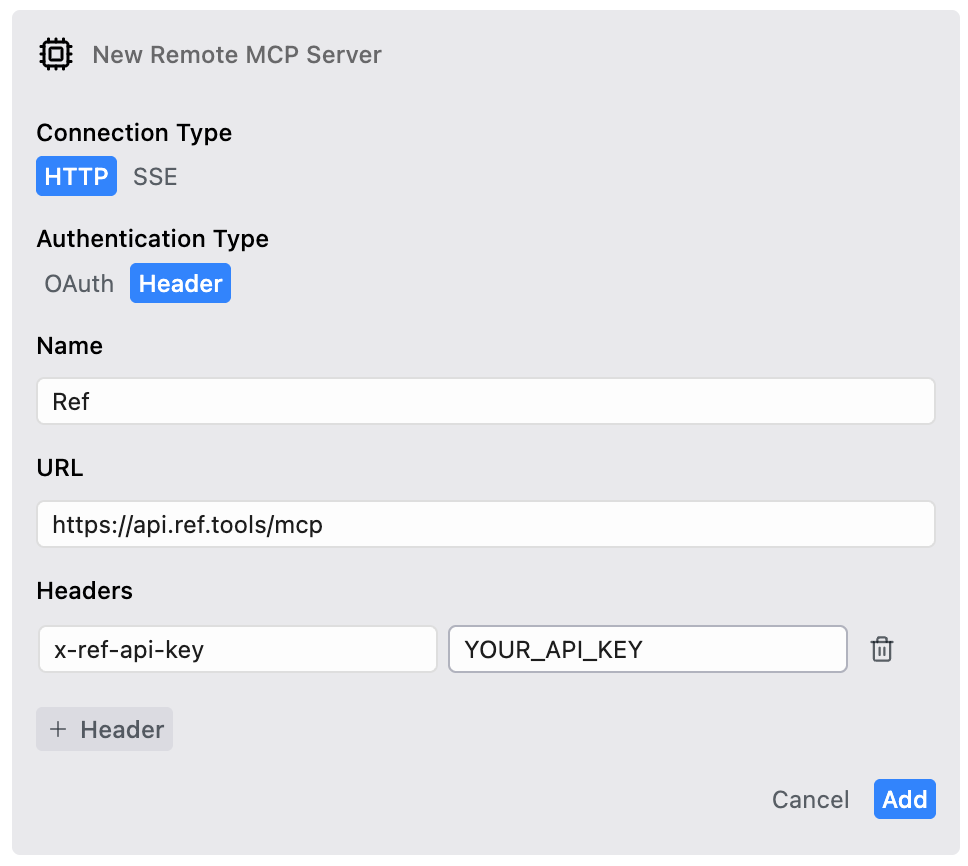
Tools, clickAdd remote MCP. - Update the settings to
Connection Type = HTTPandAuthentication Type = Header. - Fill in
Urlashttps://api.ref.tools/mcpand add a headerx-ref-api-keywith your api key as the value. - Click
Add.
Verify
See the Ref server present with a green dot.
Get help
If you have any issues, please reach out tohelp@ref.tools. We’re happy to help you get started!