

Install Steps
-
Open the
mcp_config.jsonfile. This can be found at a path like~/.codium/windsurf/mcp_config.jsonor by opening Cascade Chat and clicking theCustomizationsicon (looks like a packing box) in the top right then clicking the settings button. -
Update
mcp_config.jsonas follows:
Verify
Click the Cascade Chat Customizations button and see that Ref is active with 2 tools.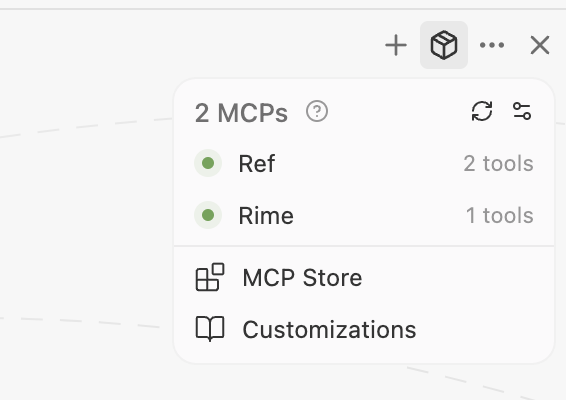
Ref and click the Refresh button on the Manage MCPs page to refresh MCPs.
Get help
If you have any issues, please reach out tohelp@ref.tools. We’re happy to help you get started!