

Install Steps
- Open the VSCode command palette
Shift + Command + P (Mac)orCtrl + Shift + P (Windows/Linux) - Type
mcpand select theMCP: Add server...action. - Select the
HTTPoption. - Enter Server URL
https://api.ref.tools/mcp?apiKey=<your-api-key> - Enter Server ID
Ref
Verify
- Open the Chat UI.
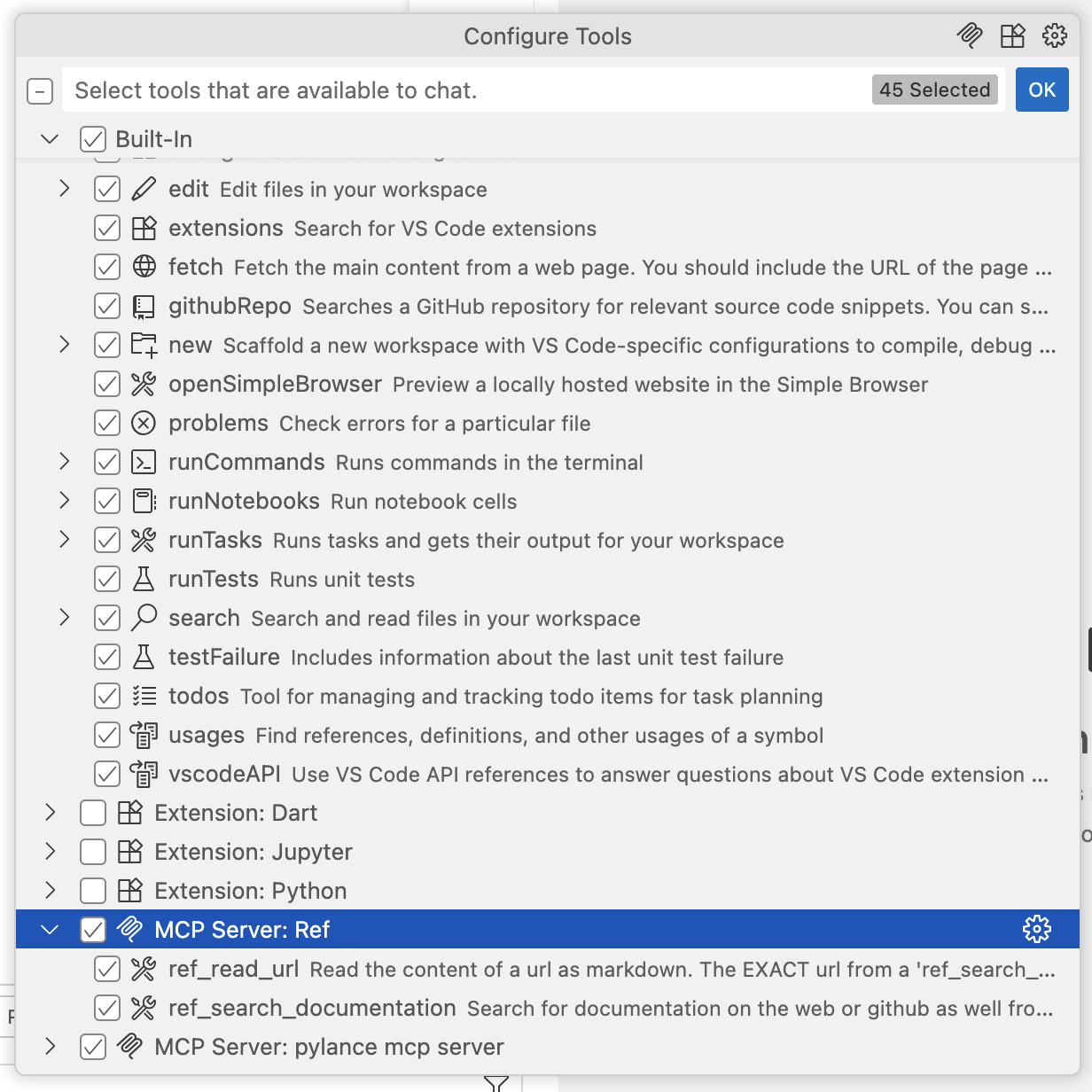
- In the chat input box, you should see a tools icon next to the send message icon. Click it.

- This should open the
Configure Toolsmenu. At the bottom of the list, you should seeMCP Server: Refwith two tools enabled.
Get help
If you have any issues, please reach out tohelp@ref.tools. We’re happy to help you get started!